Configure readable IDs with taxonomy
Set team numbering and optional project-specific sequences for work items.
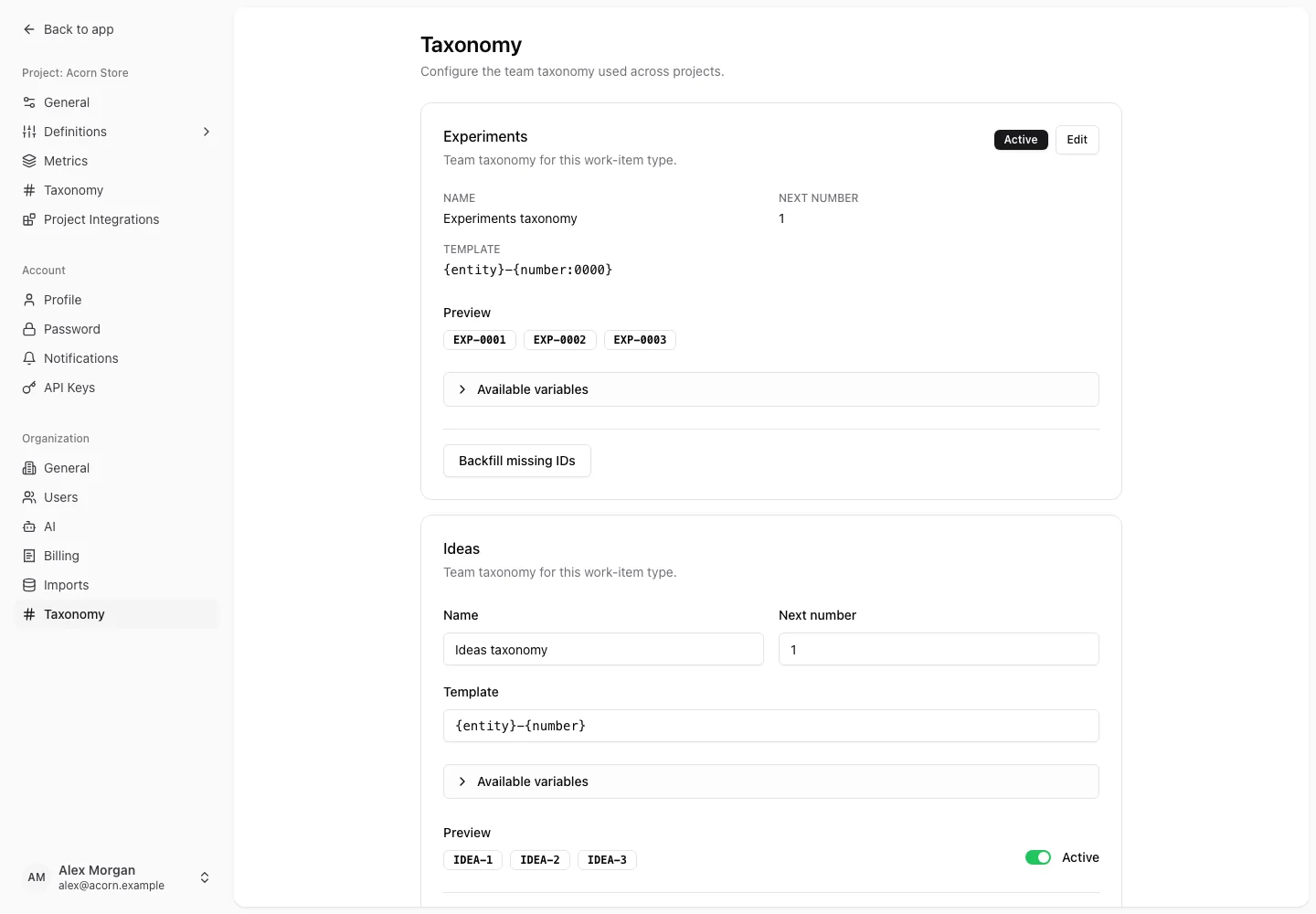
Taxonomy assigns readable custom IDs to experiments, ideas, and insights. Team taxonomy supplies a default across projects; project taxonomy is an optional override.
Configure team or project taxonomy
- Open Settings → Organization → Taxonomy for the team's defaults, or Settings → Project → Taxonomy for the selected project.
- Open the section for Experiments, Ideas, or Insights.
- Edit the scheme's name, template, and next number, or create a project taxonomy where none exists.
- Review Preview and save.
Without a configured project section, new work uses the team taxonomy and global ID scope. Confirm the intended scope before creating a separate project sequence.
Build a template
| Variable | Meaning |
|---|---|
{number} | Next sequence number |
{number:0000} | Sequence number padded with zeroes |
{year} | Current four-digit year |
{entity} | EXP, IDEA, or INS |
{project_code} | Project code; frozen when a project sequence is created |
For example, {entity}-{number:0000} produces IDs such as EXP-0021. Preview the actual output before saving, especially when combining team and project naming conventions.
Assign IDs to existing records
The backfill action assigns IDs to eligible existing work. Inspect the scheme and selected scope before running it. Changing a template governs the numbering configuration; do not assume it rewrites every already assigned ID.
Custom IDs help people refer to work. They are separate from the numeric resource IDs used by the REST API.