Manage members, invitations, and roles
Give each teammate the access they need in the intended workspace.
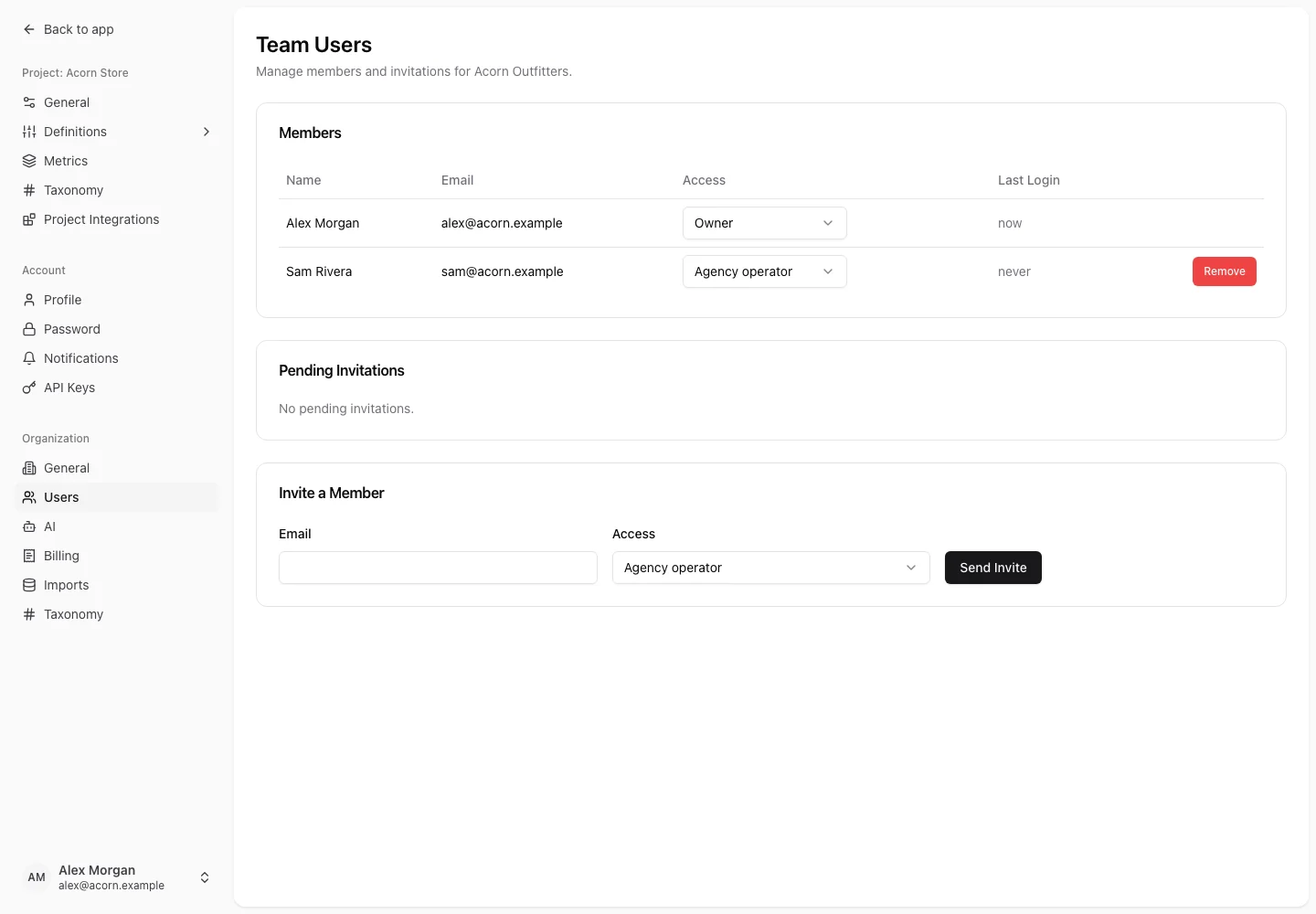
Owners and admins manage membership in Settings → Organization → Users. Access is team-specific: a role in one team does not automatically grant the same role elsewhere.
Choose access
| Role | Typical access |
|---|---|
| Owner | Manages organization settings, people, billing, projects, and work. Some ownership actions are owner-only. |
| Admin | Manages organization settings, people, billing, projects, and work within allowed administrative actions. |
| User | Creates and edits project work such as research, ideas, experiments, and surveys. |
| Viewer | Reads project work without ordinary work-item editing. Some collaborative actions have their own permissions. |
Agency screens may use Agency operator, Client editor, and Client viewer to describe seat and access choices. Seat type affects billing and access classification; it is distinct from a REST or MCP token's abilities.
Invite someone
- Open Users and locate Invite a Member.
- Enter the person's email and select their access.
- Send the invitation.
- Check Pending Invitations until it is accepted.
Review the pending invitation controls if an email needs to be resent or an invitation withdrawn. The team's seat allowance includes relevant pending invitations, so an unaccepted invitation can affect capacity.
Change or remove access
Use the member's access selector to change their role where permitted. Review the affected workspace and any seat impact before saving. Use the remove action to end access to that team.
If a change is rejected, read the validation message: an owner constraint, membership rule, or plan allowance may prevent the requested change. Do not assume an API key can override those restrictions.
Client workspaces can also grant eligible agency staff access through Agency Staff Access. See agency workspaces. For a failed invitation link, see account access.