Score ideas with a priority model
Choose a project model, define inputs, and compare idea scores consistently.
A priority model combines structured inputs into an idea score. It helps compare ideas using agreed criteria; the score still depends on the values your team enters.
Set up the model
- Select the project and open Settings → Project → Definitions → Priority.
- Choose an available model or create one with Create Priority Model.
- Give it a name and description that explain when to use it.
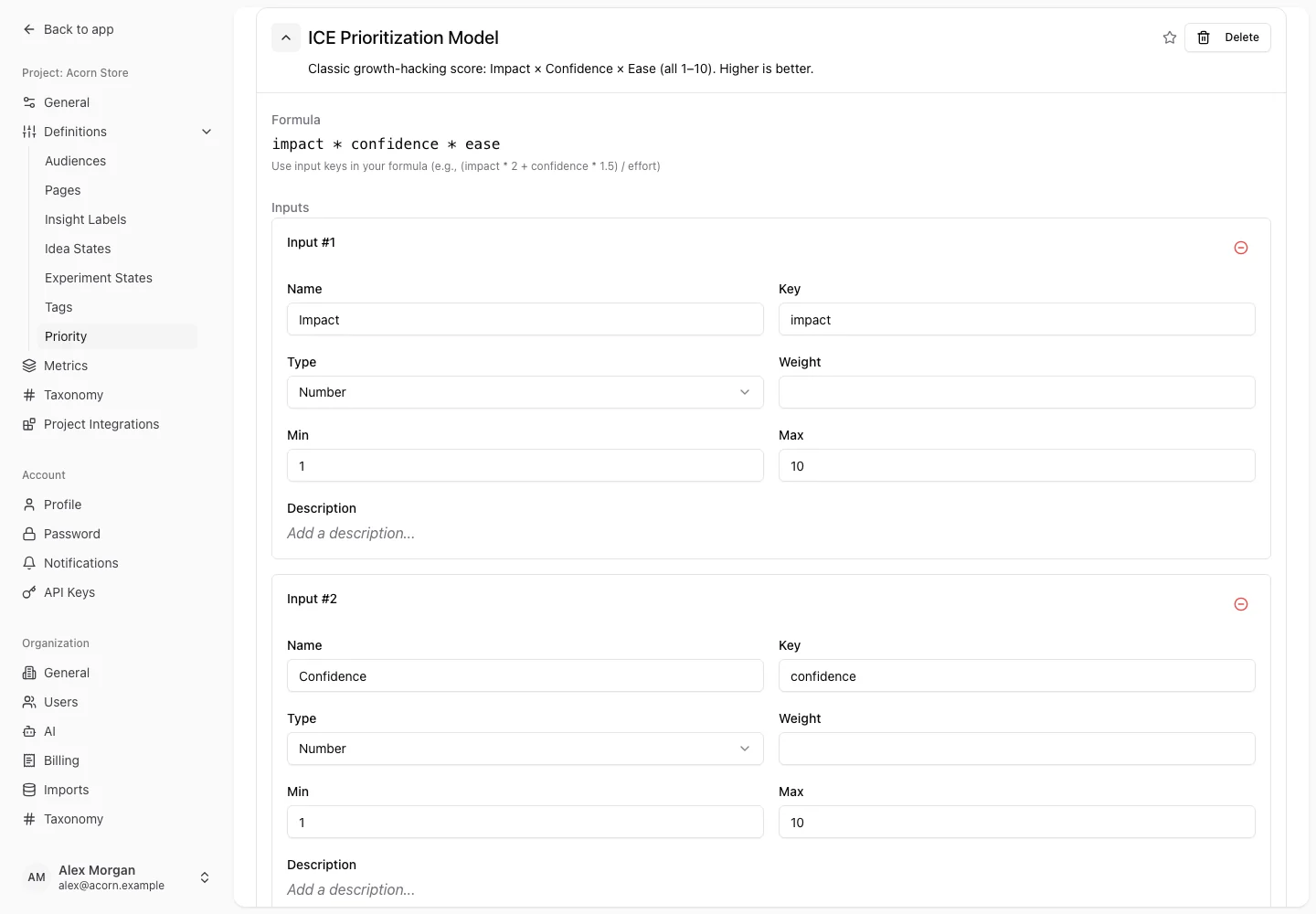
- Add inputs with stable keys, names, and types: number, boolean, or select.
- Set relevant bounds, required fields, weights, and select option values.
- Write the formula using the input keys, save, and make the intended model active for the project.
For example, inputs named Impact, Confidence, and Effort could use the formula (impact * confidence) / effort. Give Effort a positive minimum so a zero denominator cannot produce an invalid score. The formula is an example, not a built-in recommendation for every team.
Score an idea
Open the idea's priority editor. Enter the project's configured values, review the calculated score, and save. Compare scores using the same model and assumptions. A missing score can mean required inputs are absent or the formula cannot produce a finite result.
Change a model
Explain changes to criteria before rescoring the backlog. Editing input keys, options, or the formula can alter existing score meaning. Use the available recalculation action after an intentional model change, then inspect a few representative ideas.
The supported API reference includes model validation and recalculation for automated workflows. Deleting a priority model removes its priority scores from ideas; review the confirmation before deleting it.