Manage AI availability and retained artifacts
Control Team AI Opt-Out and explicitly delete or rebuild retained AI context.
Owners and admins manage Settings → Organization → AI. The page distinguishes Platform AI Availability, the team's Team AI Opt-Out choice, and the effective availability shown for the team. Billing access and AI usage limits can also affect whether an experience is usable.
Prevent AI use of team data
Enable Prevent AI use of team data under Team AI Opt-Out, then save. The choice stops AI entry points, chat access, background AI jobs, and context indexing for that team. Owners and admins can change the choice later.
Opting out does not delete already retained AI Conversations or the AI Context Index. Deletion requires one of the explicit purge actions.
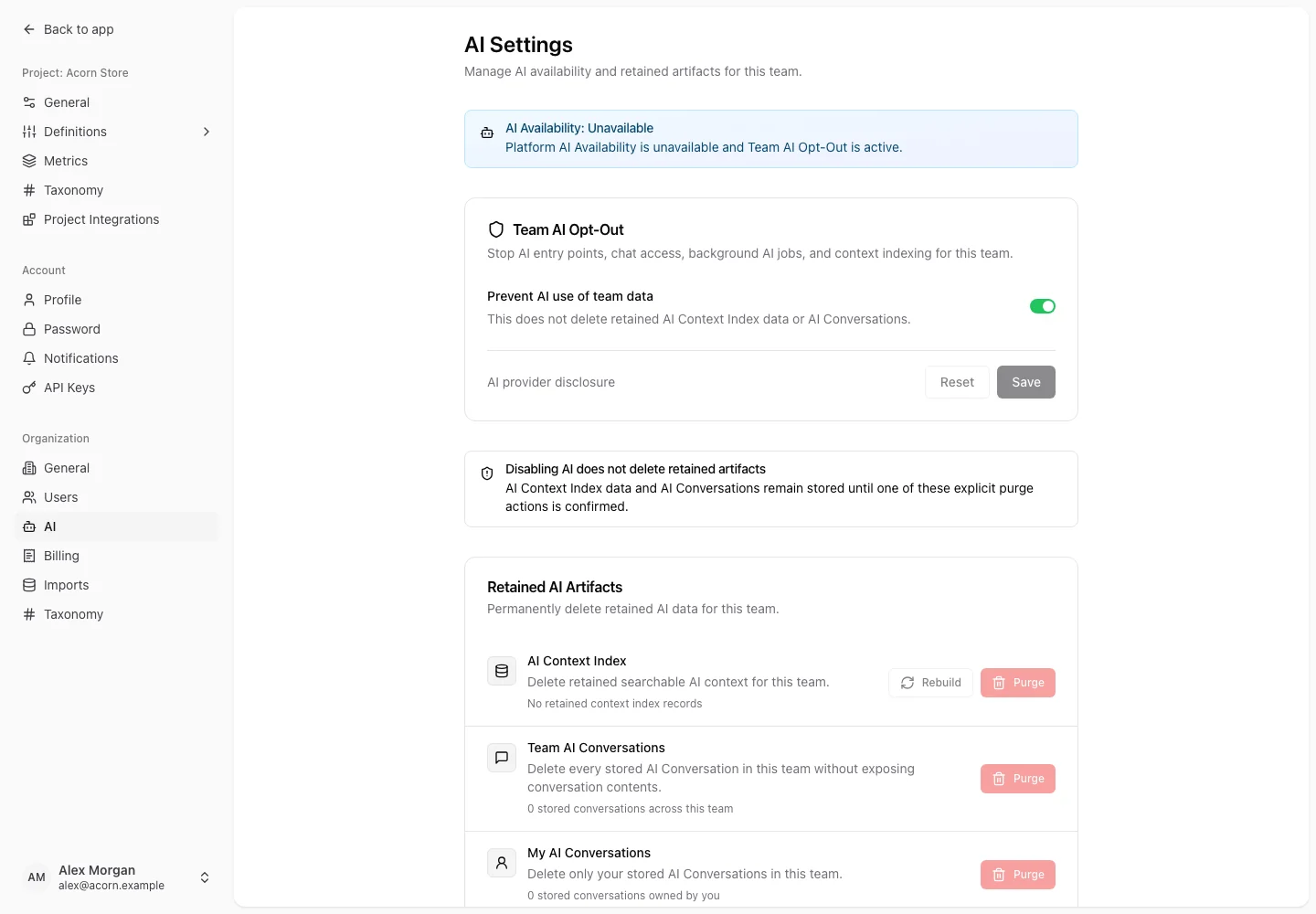
Review and purge retained artifacts
The retained-artifact section shows summaries, not other users' conversation contents. Choose the appropriate action:
- AI Context Index: deletes retained searchable AI context for the team; source records remain intact.
- Team AI Conversations: deletes every stored AI Conversation for that team, including private conversations owned by teammates.
- My AI Conversations: deletes only your own stored AI Conversations in that team.
Read the confirmation before purging. These deletion actions are permanent and scoped to the current team; they do not delete conversations in your other teams.
Rebuild the context index
When available, use the rebuild action to refresh searchable AI context from source records. Review the estimate and confirmation before queueing it. The page shows queued, running, completed, failed, or cancelled status.
While a rebuild is queued or running, existing retained context may still be retrieved. Do not treat a queued rebuild as completed. If it fails, inspect the reported error before requesting another rebuild.
Understand provider processing
ConversionLab's AI-assisted experiences may send the relevant request and source context to these providers:
| Provider | Purpose |
|---|---|
| Anthropic | Agent conversations, insight drafting, pricing page audit analysis, and daily briefs. |
| OpenAI | Agent conversations, insight drafting, and pricing page audit analysis when used for those experiences. |
| Jina AI | Creating the AI Context Index and representing search queries so relevant team content can be retrieved. |
The data needed depends on the action. A conversation can include your messages and retrieved work context; an insight draft uses selected observations; an audit uses captured page content and supplied context. Context indexing processes text from supported team records, and context search processes the search query.
These provider purposes describe the shipped experiences. Do not infer provider training or retention commitments merely from a feature being called private. AI Conversations are private between users by default, which is separate from how a provider processes a request. Read the Privacy Policy for the service's broader privacy information.
External AI clients connected through MCP also have their own client configuration and data handling. Review the client you authorize and use a token with the intended abilities.